


Color Widgets, Theme: iWidgets
4.64.25K Reviews
App Specs
- Version
- 1.8.4
- Updated On
- License
- Free
- Downloads
- 50,000,000+
- Developer
- AI Photo Team
- Categories
- Lifestyle
- Platform
- Android, iOS
Screenshots
 Analysis by AppCompare
I judge a home-screen customization app less by how many designs it shows me than by how easy it makes a look I can live with every day. Color Widgets, Theme: iWidgets is for people who want their phone to feel more personal without building a theme from scratch. Its appeal is the chance to coordinate widgets, icons, themes, and wallpapers in one place; the catch is that a polished setup still takes a little planning, and the result depends partly on what your phone’s home-screen tools allow.
A practical way to build a look
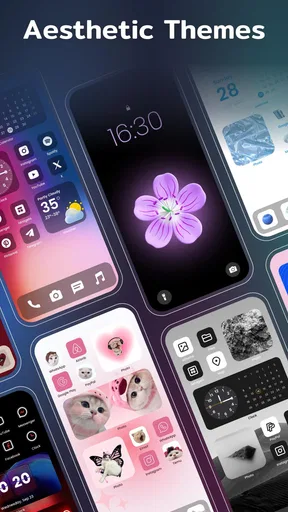
I’d start with one visual anchor rather than browsing every option at once. Pick a wallpaper or a color direction, then choose a widget that works with it. That order helps avoid a common customization trap: selecting several attractive pieces separately and discovering that they compete when placed together. A restrained palette and one prominent widget can make a screen feel considered without turning it into a collage.
After choosing a design, I’d check how it reads at the actual size and position where I plan to place it. A preview can look balanced in the app but feel crowded next to app icons or other widgets. The useful question isn’t only whether a design looks good on its own; it’s whether the information and decoration remain clear in the space your screen gives them. If the layout feels busy, removing an element is often a better fix than adding another theme detail.
Settings and choices worth checking
The app is a lifestyle customization tool from AI Photo Team, and its central job is visual rather than technical: it helps you choose a coordinated home-screen style. Before committing to a full makeover, I’d browse a few alternatives and note which ones share colors or visual weight. That makes it easier to build a consistent screen instead of repeatedly changing wallpaper, widgets, and icons in separate bursts.
It’s also worth thinking about readability before choosing a highly decorative style. A widget can be attractive but less useful if its text or contrast is hard to pick out at a glance. I’d favor a design that makes the details I check most often easy to see, then use more expressive colors elsewhere. This small decision matters especially on a screen you glance at while walking, commuting, or reaching for your phone between tasks.
Faster habits, better results
A repeatable workflow saves more time than trying to perfect every element in one sitting. I’d keep a simple routine: choose the overall mood, settle on a wallpaper, add only the widgets I’ll actually use, and then adjust the arrangement after seeing it on the home screen. If I want a different look later, I can change one layer at a time and see what made the biggest difference.
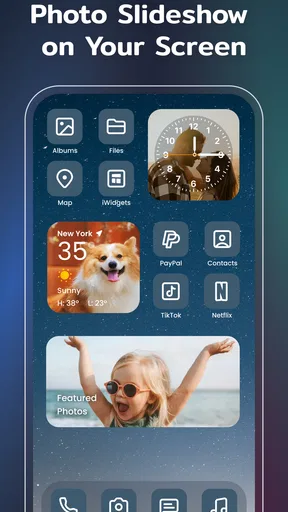
That approach suits everyday situations. For example, before a busy week, I might put a calendar-style widget where I can see it quickly and keep the surrounding design quiet. For a more relaxed weekend look, I could swap the visual theme while leaving my familiar layout in place. The point is not that every style needs a special setup, but that keeping the functional arrangement stable makes visual changes less disruptive.
Worth Reading Before You Choose

Flipboard Shows What News Apps Must Do Beyond the Feed

Switching to Android Auto Means Rethinking Your Driving Routine

Google Calendar Makes a Crowded Week Easier to Manage

Ludo King Makes the Most of the Minutes Between Plans

Baby Panda World Brings Quick Play to Modern Phones, but Its Game Library Feels Busy

ESPN’s Live Game View Makes Following Close Games Easier
Where customization has limits
This is not the right choice for someone who wants a deep launcher overhaul or precise control over every phone behavior. Color Widgets focuses on making the home screen look different; people who mainly want advanced layout rules, app-drawer changes, or system-level controls may be better served by their device’s built-in options or a dedicated launcher. Likewise, if you’re already happy with a plain, fast-to-scan screen, adding decorative pieces may create more upkeep than value.
There is also a practical trade-off between novelty and consistency. A large collection encourages experimentation, but changing several visual elements at once makes it hard to tell which choices actually improved the screen. I’d save the versions I like in my own notes or take a screenshot before a major change, so I can recreate a layout I prefer. That simple habit is useful when testing styles, and it avoids relying on memory to rebuild a combination that worked.
Customization at Your Fingertips
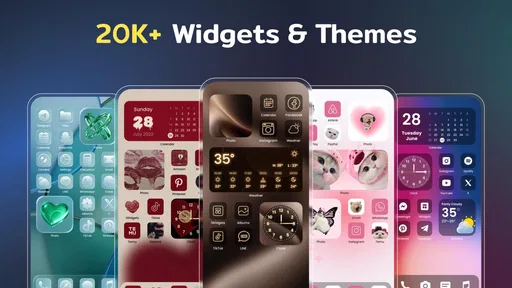
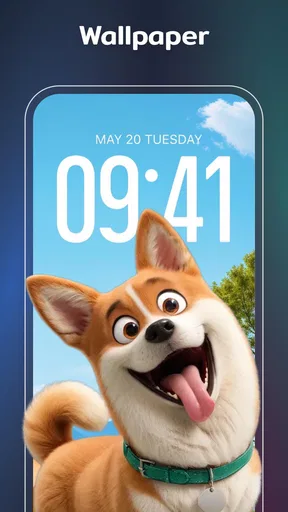
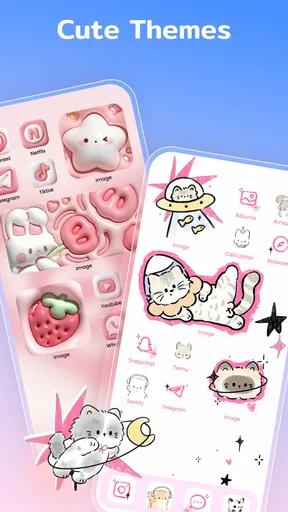
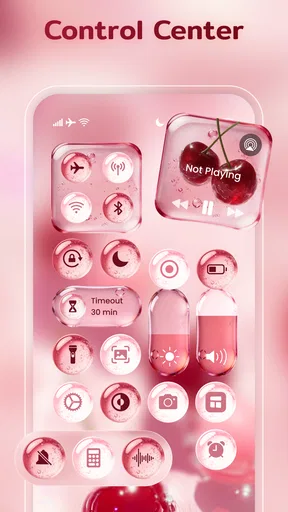
First things first, the sheer variety of options in Color Widgets, Theme: iWidgets is mind-blowing. You can choose from a plethora of themes, widgets, and wallpapers that cater to every aesthetic imaginable. Whether you’re a minimalist or you love vibrant colors, there’s something for everyone. I spent a good half-hour just toggling between options, trying to decide on the perfect look.
User-Friendly Interface
Now, I’m not the most tech-savvy person out there, but the app’s interface is super intuitive. It’s straightforward, so you don’t have to be a tech wizard to figure it out. You can easily navigate through different categories and apply changes with just a few taps. Honestly, it's like the app knows exactly what you're thinking and guides you smoothly to transform your screen.
Widgets Galore
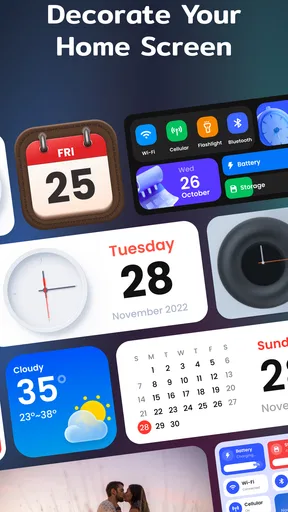
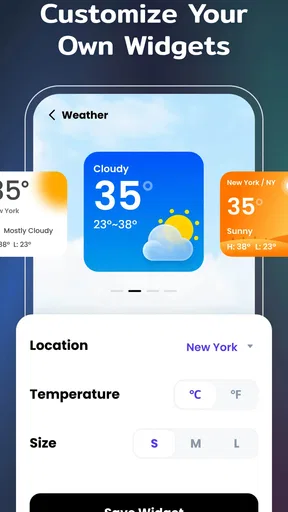
One of the standout features has to be the widget customization. From clock designs to calendar widgets, and even battery indicators, the options are endless. You can mix and match styles to ensure everything on your screen is cohesive. My personal favorite? The weather widget that changes with the time of day. It’s these little touches that make a big difference.
For me, the best test of a widget is whether I still use it after the novelty fades. A clock or calendar design can earn its space if it helps me orient myself quickly; a decorative tile is harder to justify if it pushes useful app icons out of easy reach. I’d start with one or two widgets, live with the arrangement for a few days, and only add more if they make the screen more helpful as well as more attractive.
Regular Updates
What’s really cool is that the app frequently updates its library, adding new widgets and themes. So, if you’re someone who gets bored easily, you can always find something new to try out. Plus, they often have seasonal themes, which is perfect for getting into the holiday spirit.
The app is free to download, with optional in-app purchases priced from $1.49 to $29.99 per item. I’d treat paid choices as optional extras rather than assume that every look requires spending. If I were considering a purchase, I’d first make sure the design fits the way I use my screen and that I’m likely to keep it; a quick impulse buy is less satisfying when I change styles often. The app is rated for Everyone, and its 4.7 average from around 439,000 ratings suggests it has broad appeal, though personal taste still matters more than a score when choosing a visual style.
It has passed 10 million installs, and version 1.7.9.93 is available for devices running Android 8.0 or later. Those details make it an approachable option for many Android users, but compatibility is only the first check: the feel of a home-screen setup also depends on the device’s own widget placement and customization tools. If a particular arrangement doesn’t behave as expected, I’d simplify the layout and test the pieces individually rather than assume every phone presents widgets in exactly the same way.
Performance-Wise, the app runs smoothly without any noticeable lag, which is a huge plus. No one wants an app that bogs down your phone, right? I’ve had zero issues with it slowing down or crashing, which is more than I can say for some other customization apps I’ve tried.
Compared with choosing a wallpaper alone, this gives me more ways to make the screen feel coordinated, since the widgets and visual theme can contribute to the same look. Compared with a full launcher, it is the lighter kind of customization: less suited to changing how the entire device is organized, but potentially easier for someone who only wants a visual refresh. I’d pick the built-in settings instead if I wanted to keep everything simple and avoid another customization layer; I’d choose a launcher if changing layout behavior matters more than styling.
Final Thoughts
All in all, Color Widgets, Theme: iWidgets is a fantastic app for anyone looking to breathe new life into their phone’s interface. It's fun, easy to use, and offers a level of personalization that really lets your personality shine through. So, if your home screen is in dire need of a makeover, give this app a go. You won’t be disappointed!
My more measured recommendation is to try it if you enjoy tweaking the appearance of your phone and don’t mind spending a little time making the pieces work together. It is especially appealing if a coordinated wallpaper-and-widget look matters to you, or if a seasonal refresh gives you a reason to revisit your screen. I’d skip it if you want a hands-off setup, dislike decorative clutter, or need advanced control over the way apps and screens behave.
Color Widgets was released on March 31, 2023, and the 2,500 reviews alongside its much larger rating count offer another sign that many people have tried it. I wouldn’t read that as a guarantee that every widget or theme will suit my taste. I’d begin with the free options, make one deliberate change, and see whether the new screen is still comfortable to use after the first impression wears off. That is the difference between a makeover that looks good for a moment and one that earns a place in my daily routine.
Pros
- Highly customizable widget options.
- User-friendly interface.
- Regular updates with new themes.
- Smooth performance with no lag.
- Wide variety of color themes.
Cons
- Limited free features.
- Occasional ads can be intrusive.
- Customization can be overwhelming.
- Some themes require in-app purchases.
- Compatibility issues on older devices.
FAQs for Color Widgets, Theme: iWidgets
What is Color Widgets, Theme: iWidgets?
Color Widgets, Theme: iWidgets is an app designed to customize the appearance of your device's home screen. It offers a wide range of widgets, themes, and customization options to give your phone a unique look. Users can choose from various styles and personalize their widgets with different colors and fonts.
Is Color Widgets, Theme: iWidgets free to use?
While Color Widgets, Theme: iWidgets offers a free version, some advanced features and premium content require in-app purchases or a subscription. The free version includes basic customization options, but for a more extensive collection of themes and widgets, users may need to upgrade.
How user-friendly is Color Widgets, Theme: iWidgets?
The app is designed with user-friendliness in mind, featuring an intuitive interface that makes customization easy, even for beginners. Users can quickly navigate through different options and apply themes or widgets with just a few taps, making it accessible to all skill levels.
Does Color Widgets, Theme: iWidgets affect device performance?
Color Widgets, Theme: iWidgets is optimized to ensure minimal impact on device performance. However, as with any app that runs continuously in the background, it may use a small amount of battery and processing power. Overall, most users report no significant performance issues.
Can I create my own widgets with Color Widgets, Theme: iWidgets?
Yes, the app allows users to create custom widgets by selecting from various templates and adjusting colors, fonts, and layouts. This feature provides a high level of personalization, enabling users to design widgets that perfectly match their style and preferences.


